
Anyone who wants to pick, browse, install and update DSH plugins, and have the installed version reviewed by an AI agent.
Find a plugin by purpose, install and update it through the official manager, then review the version that was actually installed if you want to.
What is DSH Market Pro?
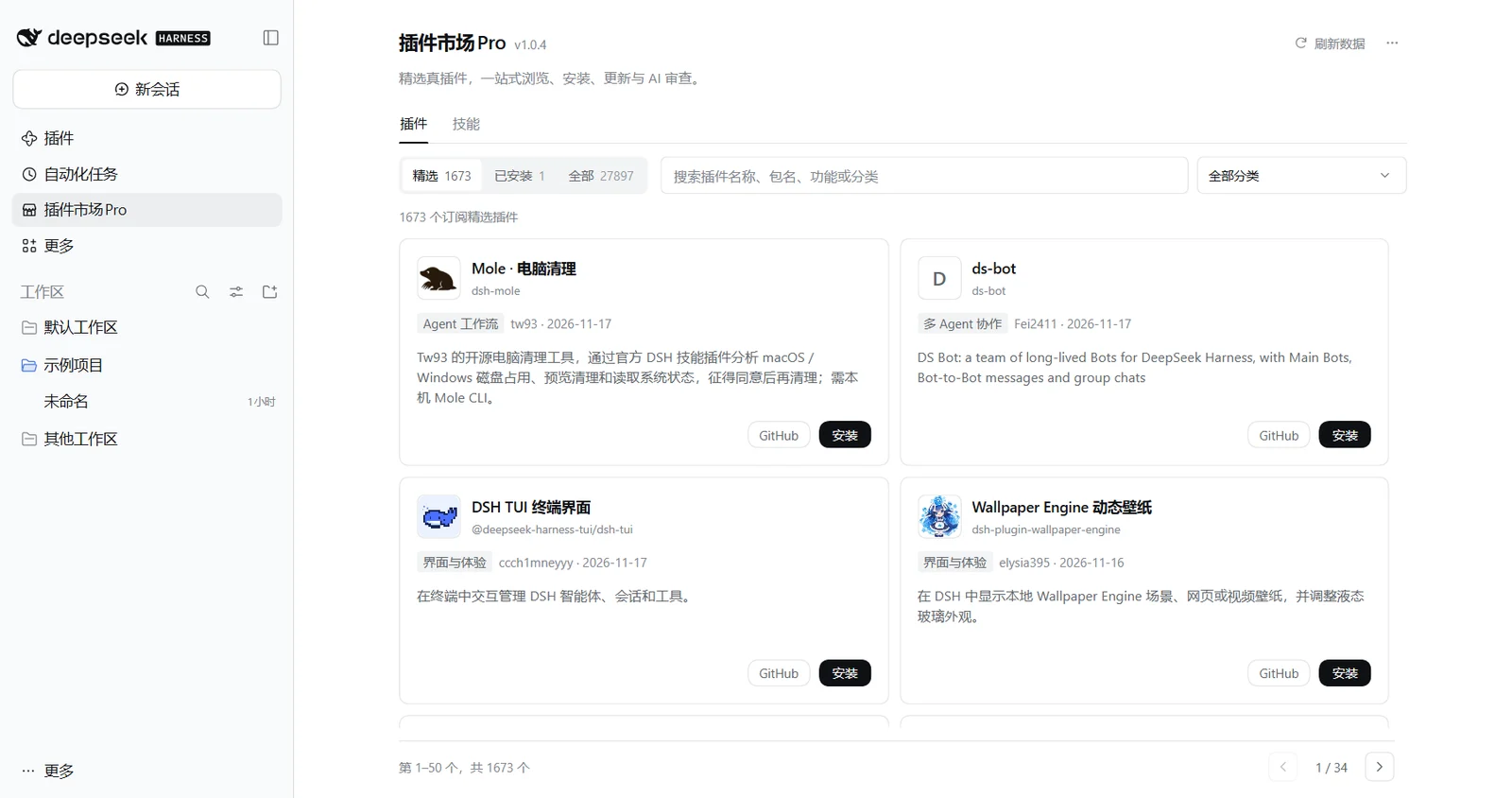
DSH Market Pro (package dsh-market-pro, formerly safer-dsh-market and earlier dsh-desktop-safe-market) is a third-party plugin market for DeepSeek Harness. It is built on the verified Awesome DSH Plugins Pro catalog and offers curated picks, browsing, installing, updating and an AI security review after installation.
It is a separate project from DSH Desktop Pro: the market is a plugin you can install on its own, while Desktop Pro is the desktop client. Since 0.7.0-beta.5 the client bundles DSH Market Pro again and enables it in personal mode; this can be switched off in the desktop settings. You can also install it into any DSH.
Why a Pro edition?
- Curated real plugins: the catalog is verified, and repositories that only borrow the tag or are not plugins are removed. The market opens on editorial picks (100 at the moment) and also offers the full catalog and the official Discover subscription.
- Browse: filter by Featured, All and Installed; search by category, keyword or package name; pagination and an offline cache.
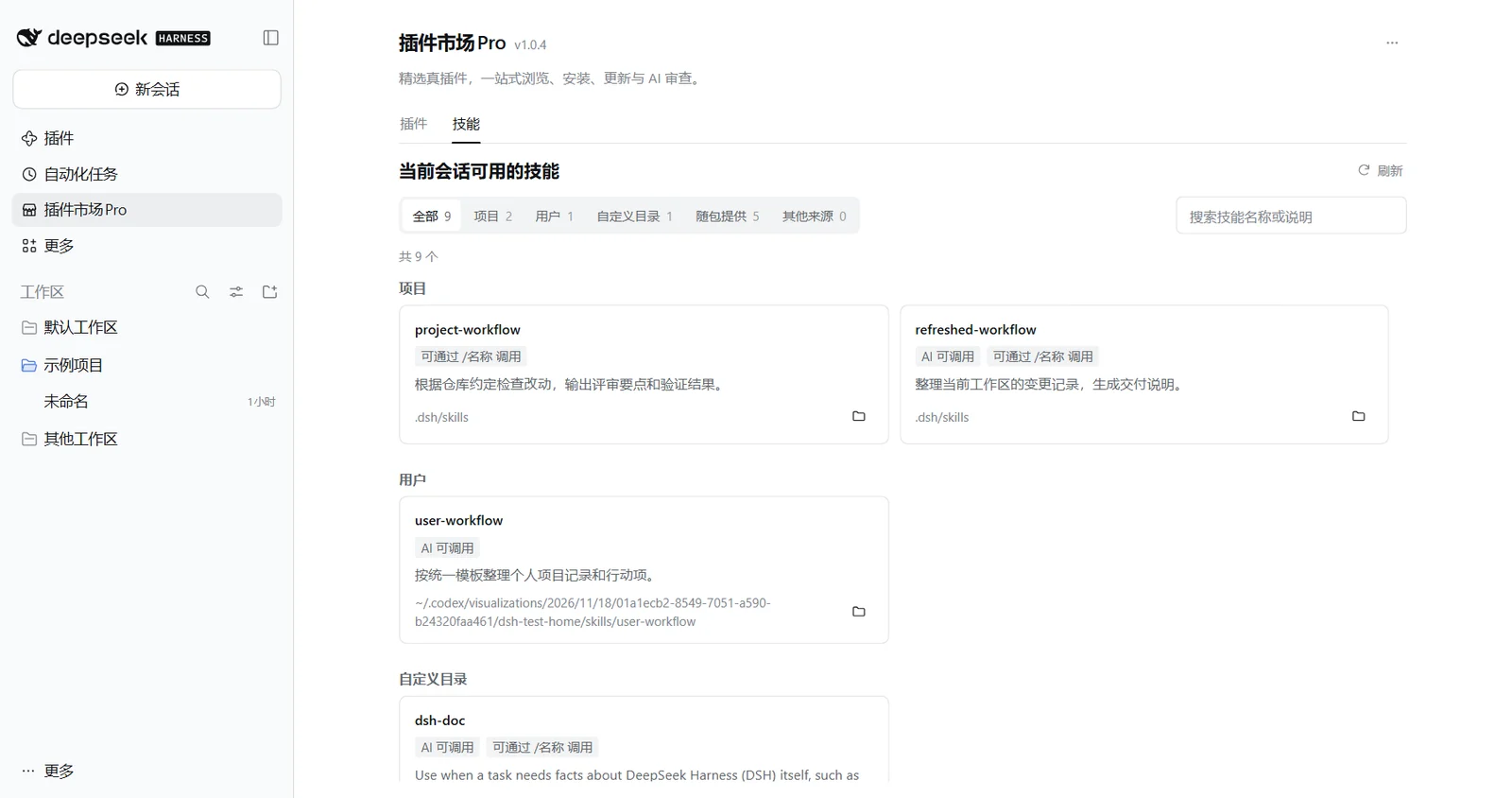
- Skills page: see the skills available to the current conversation by source (project, user, bundled) and how to invoke them.
- Install: plugins with install information go through the host’s official plugin manager, which checks, installs and enables them and shows permission requirements and results. For repositories without a direct install target, the market can prepare an “AI verify and install” prompt for your agent; it is never sent automatically.
- Update: checks for compatible new versions, then lets the official manager apply them, showing progress, restart requirements and recovery results.
- AI review: after installation, the current profile, the actual version and local files are handed to the agent for a read-only check that reports risks and unverified items. You decide what to do with it.
What do installing and reviewing each do?
When you click Install, the official manager runs the installation. After a successful install, or on an installed card, you can choose AI review: a read-only review draft is placed in the current or most recent workspace conversation for you to send.
A review never installs, updates, disables or uninstalls a plugin and never changes configuration. A plugin may already have run when it was installed and enabled; a review afterwards offers no pre-install protection and does not replace reading the source, permissions and origin before installing.
How do I install it and migrate?
Install dsh-market-pro (currently 1.2.1) from the official plugin manager of the instance you use. Older packages do not switch to the new one automatically: disable the old plugin, install and enable the new one, then set your preferences again. Caches and pending-uninstall records keep the original storage identifier.
The plugin supports DSH 0.1.7-rc.2 and 0.2.x. Checking for updates needs the matching update interface from the host, and Git updates also need a subscription configured on the official Discover page. The project README and the host’s own checks are the authority on compatibility.
When does it go online, and how do I manage installed plugins?
The catalog is loaded by default: it reads the community catalog over the network and caches it (downloads are capped at 64 MiB). An explicit “disabled” setting you already have is kept. Stopping the catalog does not disable any other plugin.
The Installed tab lets you check for updates, enable, disable and uninstall. Confirm the current instance and profile before acting, and use the returned result to decide whether a restart is needed; if a network failure leaves the result unknown, check the official plugin page first.
Project documents and limits
Documents: DSH Market Pro 1.2.1 README (Chinese)
Updated: . This page follows the README linked above; the software may have shipped newer versions, so check the project repository for current features and requirements.
Note: Being listed is not a security endorsement. The AI review runs after installation and cannot stop or undo anything the plugin has already executed.